This is part of a series examining alternatives for programmers to create software for the Open Social Web!!!
ActivityPub Server - part 2
In the part 1, we discussed how AP is centred on some basic concepts (i.e., Actor, Inbox, Outbox, Activity...) and how the whole protocol is based on HTTP endpoints that serve/consume JSON files. The first version of our tinyFedi system (a minimalist Python+Flask AP server) is only able to work on the "serve" side of things: 1. provide an Actor description, 2. make that Actor reachable through Webfinger requests, 3. create a Post and update the outbox to "publish" it. Now it is time to give our AP server the ability to receive and process requests from the outer world, more specifically:
- enable an INBOX endpoint;
- process (follow) incoming Activities;
- and finally, push Activities to followers.
That, together with Signatures processing (which is a topic I will cover in another post), will give tinyFedi all the basic abilities it need to evolve into a full blown AP Server!
Follow me!
There is not much sense to be able to "publish" stuff if we don't provide a way for others to "follow" what we publish, right? In our case, even though our Actor's outbox contains published material, other Fediverse Actors must subscribe to it (i.e., follow request). On top of that, AP servers expect first to have a "follow request" confirmation AND have activities pushed to followers' inboxes! For that to happen, we will need to process inbox activities!
The inbox endpoint
Remember that the actor.json already pointed to where it's inbox should be: https://nigini.me/activitypub/inbox
From the perspective of our file-based server, we need to handle POST calls to URL, and at least save the activity to a file. The following code -- taken from the app.py in the v0.2 (which correspond to this posts time), does just that: 1. validates request's content_type and writes down the JSON content to file so it can be processed1!
@app.route(f'/{NAMESPACE}/inbox', methods=['POST'])
def inbox():
    ### VALIDATE REQUEST
    content_type = request.headers.get('Content-Type', '')
    if CONTENT_TYPE_AP not in content_type and CONTENT_TYPE_LD not in content_type:
        return jsonify({'error': 'Invalid content type'}), 400
        ### SAVE JSON ACTIVITY TO FILE
    try:
        activity = request.get_json()
        if not activity or 'type' not in activity:
            return jsonify({'error': 'Invalid activity'}), 400
        filename = save_inbox_activity(activity)
        queue_activity_for_processing(filename)
        return '', 202  # Accepted
    except Exception as e:
        print(f"Inbox error: {e}")
        return jsonify({'error': 'Internal server error'}), 500
With this in place, here is what happens if I go back to my Fediverse client and hit Follow again:
127.0.0.1 - - [28/Sep/2025 16:34:56] "POST /activitypub/inbox HTTP/1.0" 202 -
✓ Saved inbox activity: static/inbox/follow-20250928-163527-social-coop.json
✓ Queued activity for processing: follow-20250928-163527-social-coop.json
Processing requests
As we discussed in Part 1, ActivityPub works by Activity delivery, which can be understood as a "command": Follow, Like, Create, etc. In this case, here is the Follow Activity we have received:
{
  "@context": "https://www.w3.org/ns/activitystreams",
  "id": "https://social.coop/af391183-9a0a-408d-97d2-367d78b1c16f",
  "type": "Follow",
  "actor": "https://social.coop/users/nigini",
  "object": "https://nigini.me/activitypub/actor"
}
One of the advantages of the ActivityPub protocol is that it is pretty human readable, and this request says:
- Considering the vocabulary defined in the "ActivityStreams" (the context);
- Someone created the activity at
idof typeFollow; - The "someone" is the actor described by the
social.coopurl; - And the "destiny/object" of this request is... us!
Now things start to get interesting: what the heck should I do with that? That's when going to the spec or other more in-depth material will come handy. The gist is:
- does
@nigini@socialcoopeven exists? - do we want to let that actor follow our stuff,
- if yes (for both), add the actor to our
followers.json - then, we need to notify the new follower through an
Acceptnote.
In tinyFedi, I decided to create a Activity Processors that is able to 1. checks the queue for unprocessed activities and 2. chooses what is the best way to deal with the Activity. I also decided to break down Processors activity type, like the FollowActivityProcess, executor of the algorithm in the list above 2.
Here is the log for executing the activity_processor right after queuing the Follow activity above:
Processing 1 queued activities...
Processing Follow activity: follow-20250928-163527-social-coop.json
Processing Follow from https://social.coop/users/nigini
Added https://social.coop/users/nigini to followers collection
Saved Accept activity to static/activities/accept-20250928-164428.json
Generated Accept activity for https://social.coop/users/nigini
Successfully processed Follow from https://social.coop/users/nigini
✓ Successfully processed follow-20250928-163527-social-coop.json
OK! It seems like we have a follower, at least from our side of things. Now, it is time to send the following Accept notice we have created for them (observe the object is exactly a copy of the request3):
{
  "@context": "https://www.w3.org/ns/activitystreams",
  "type": "Accept",
  "id": "https://nigini.me/activitypub/activities/accept-20250928-164428",
  "actor": "https://nigini.me/activitypub/actor",
  "published": "2025-09-28T16:44:28.947834Z",
  "object": {
    "@context": "https://www.w3.org/ns/activitystreams",
    "actor": "https://social.coop/users/nigini",
    "id": "https://social.coop/af391183-9a0a-408d-97d2-367d78b1c16f",
    "object": "https://nigini.me/activitypub/actor",
    "type": "Follow"
  }
}
Notify new Follower
The last bit of the puzzle is that followers in ActivityPub expect an Actor to deliver Activities to their inbox, which should be as simple as a POST to their inbox URL! (Yes, BUT... 4). You can see the full deliver_activity function here but the gist of it is:
body = json.dumps(activity).encode('utf-8')
headers = {...} ## Stuff like Content-type and Signature
response = requests.post(inbox_url, data=body, headers=headers, timeout=30)
After adding the delivery to the processing pipeline from the the last session, and after hitting follow again in the client you will see
Processing 1 queued activities...
... //Same as above
✓ Successfully delivered activity to https://social.coop/users/nigini/inbox
✓ Delivered Accept activity to https://social.coop/users/nigini
Generated and delivered Accept activity for https://social.coop/users/nigini
... //Same as above
✓ Successfully processed follow-20251013-010727-social-coop.json
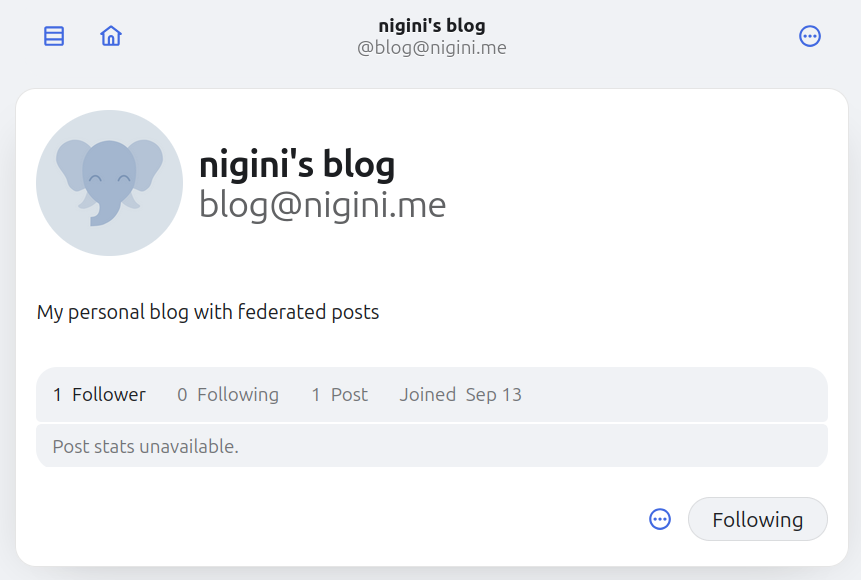
FI-NAL-LY, as soon as you client detects the acceptance, we will see the status change:
Post an Activity
Again this post is getting long and I am tired, but I'd not wrap up without posting something to my new follower!
As of now, though, our server doesn't have a full blown API for using a generic ActivityPub client, so, I implemented a simple script to create a new posts. It follows exactly the same logic of creating and delivering the Accept Follow activity, only that now we will use the type Create. Here is the output of running that new_post script:
tinyFediPub$> python new_post.py --type note --url https://nigini.me/blog/2-open_social_web --content "... ;)"
✓ Created post: static/posts/20251013-174236.json
✓ Created activity: static/activities/create-20251013-174237.json

✅ Post created successfully!
Post ID: 20251013-174236
Activity ID: create-20251013-174237
✓ Regenerated outbox with 4 activities (streaming)

📤 Delivering to followers...
Delivering activity to 1 followers...
Delivering to https://social.coop/users/nigini...
✓ Successfully delivered activity to https://social.coop/users/nigini/inbox

Delivery complete: 1/1 succeeded
✅ Delivered to 1/1 followers
Here is the shape of the Activity the script created: (highlight to type and object{content, type, url}):
{
  "@context": "https://www.w3.org/ns/activitystreams",
  "type": "Create",
  "id": "https://nigini.me/activitypub/activities/create-20251013-174237",
  "actor": "https://nigini.me/activitypub/actor",
  "published": "2025-10-13T17:42:36Z",
  "object": {
    "@context": "https://www.w3.org/ns/activitystreams",
    "attributedTo": "https://nigini.me/activitypub/actor",
    "content": "I am starting a series of posts that will explore (in a DIY way) how do the Open Social Web operate, as in the many available protocols, communities, and architectures. Follow me to get all the updates and the calls for help! ;)",
    "id": "https://nigini.me/activitypub/posts/20251013-174236",
    "published": "2025-10-13T17:42:36Z",
    "type": "Note",
    "url": "https://nigini.me/blog/2-open_social_web"
  }
}
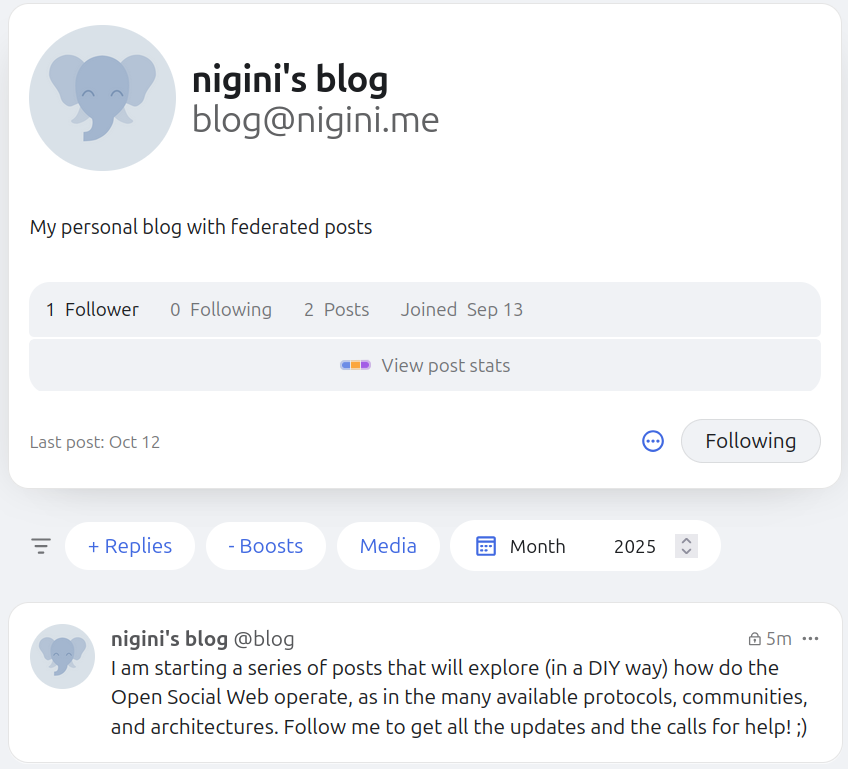
And here is the proof that our follower can see it:
WOW! Long jorney, but NOW we have the basic ActivityPub lifecycle ready! Follow @blog@nigini.me to get updates!
-
I will not go too deep on how I decided to implement the "processing" phase (check the README for a little more on that), but I will say that the "queue" part is a strategy to NOT block the main APP with processing an activity, making it quickly ready to answer to the next requests! You could do that other ways, like using asynchronous libraries, or even using more sophisticated Queue Frameworks! ↩
-
Actually, I am lying a bit here: if you read the code, it does not check the actor existence. To be fully honest, that is the case because I only learnt about that step while writing this post, and even though it makes a lot of sense, this is one of those details that makes protocol implementations so challenging! The funny thing is, the current algorithm still works, but our server may be tricked into processing requests from nonexistent Actors. ↩
-
Is there a better way of doing this, considering the request has an
idthat should be the source of truth for that Activity? ↩ -
As I commented at the intro of this post... Signatures is something I am discussing in a separate post, but they are essential for checking if the POSTED Activities are actually from the Actor they say they are from (and vice-versa). If you are curious, here is a good start! ↩